From prompt to pull request
No local setup, no context juggling. Describe what you want and the swarm takes it from idea to reviewed, merge-ready code.
- 01
Create a project
Paste a git URL, start from scratch, or connect a repo later. The sandbox clones and boots it for you — no worktrees, no .env copying, no ports to remember.
- 02
Describe the outcome
Chat with the lead agent. Simple asks get done directly; complex work becomes a living plan you review and Build when ready.
- 03
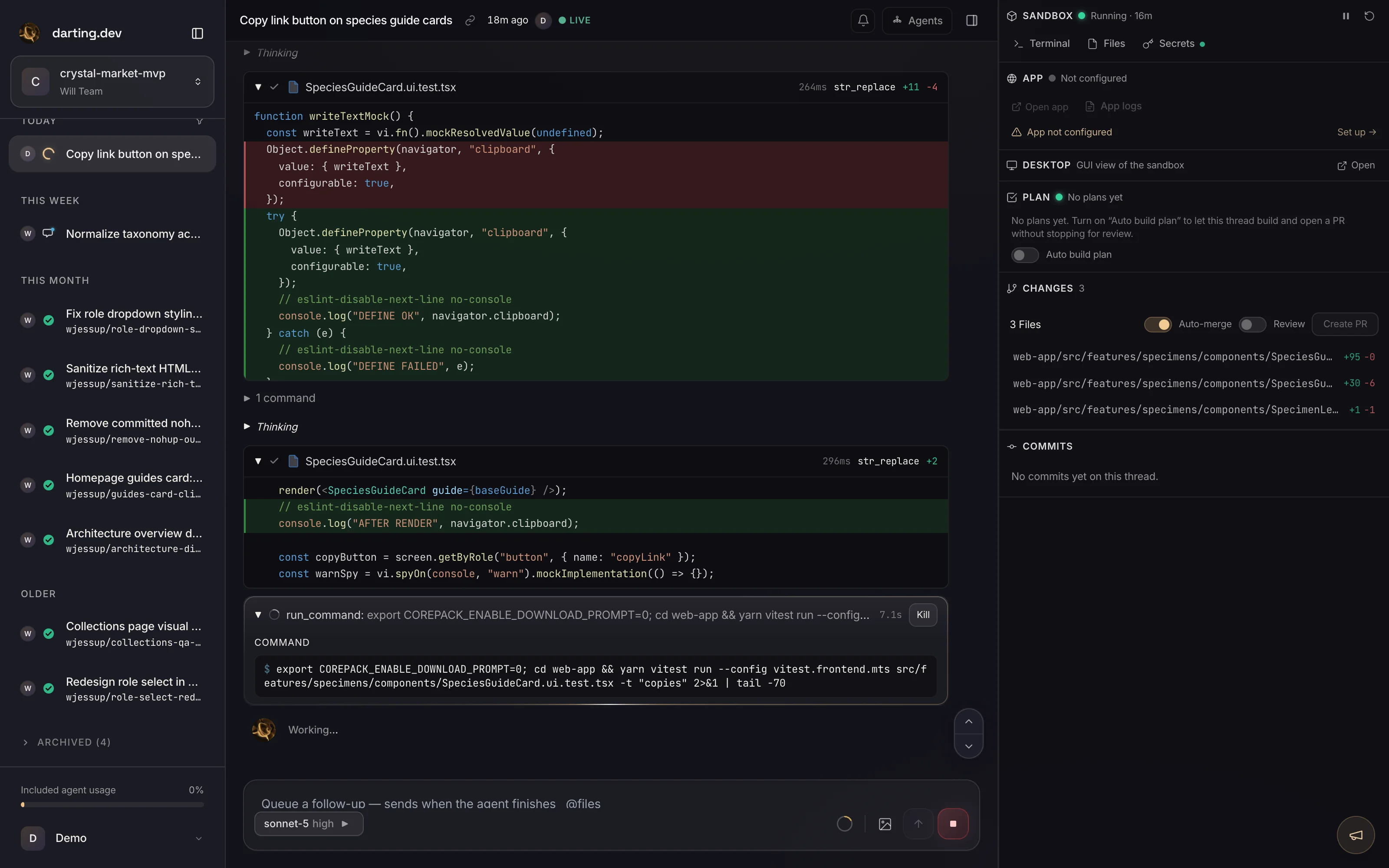
The swarm works in isolation
Threads fan out across separate sandboxes — building, running tests, and validating the UI like a human, none ever breaking another's run.
- 04
Watch the proof, then merge
Review video summaries and branch-aware diffs, then open a PR. Arm auto-merge when you're ready — green CI lands it without you babysitting.
What actually happens
- 1
Create a project
A project is your workspace — usually backed by a git repo, or start empty and connect one later.
- Git URL — paste any HTTPS or SSH repo; private repos authenticate via GitHub
- Start fresh — create a project without a repo and connect GitHub when you're ready
- Empty repo — create a private GitHub repo for you so there's always a PR target
- 2
Describe the outcome
One interactive lead agent per thread. It self-assesses complexity and chooses how to proceed.
- Trivial asks — implements directly
- Moderate work — sketches a brief approach, then builds
- Complex work — writes a living plan document; you review and click Build
- 3
The swarm works in isolation
Each thread runs in its own cloud sandbox, branched from main, so parallel work never collides. Within a thread, the lead agent delegates to sub-agents that share it.
- One thread's edits can never break another thread's test run
- Compute-heavy builds and tests run off your machine
- Agents validate the UI like a human and record a video of the fix
- 4
Review & ship
Inspect the work — and the proof — then integrate it on your terms.
- Branch-aware diffs, an SVG branch graph, and a video summary
- Open a PR with a drafted title and body
- Failing CI gets read and fixed automatically; arm auto-merge when you're ready
- When a teammate merges to main, each thread sees it and updates in a click
Ship your next feature with a swarm
Spin up your first project in under a minute. Bring a git repo or start from an empty one.